The Ultimate SEO Checklist for 2025: Rank Higher, Faster, Smarter

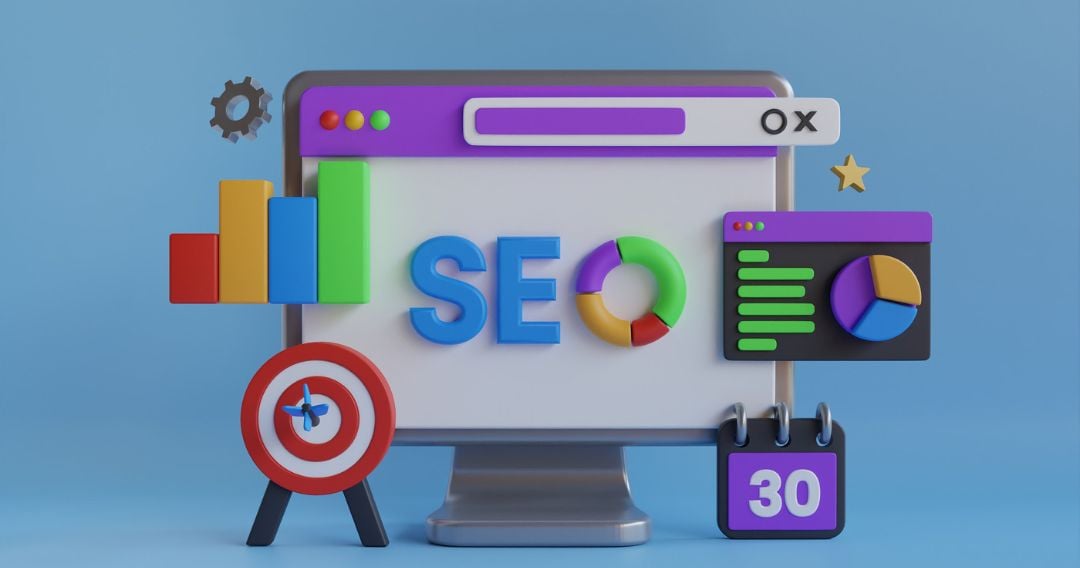
Search Engine Optimization (SEO) keeps evolving — and so should your strategy. What worked in 2023 may not be enough in 2025. With AI-driven search, E-E-A-T signals, voice search, and zero-click results shaping the future, staying ahead means updating your SEO playbook.

To help you stay on top, here’s your Ultimate SEO Checklist for 2025 — covering everything from technical SEO to content, AI, and user experience. Follow this, and you’ll be ready to rank higher, faster, and smarter.


🧠 1. Focus on User Intent — Not Just Keywords

Keywords still matter, but in 2025, intent outranks volume. Google’s algorithms now understand why users search — not just what they type.

Checklist:

  • Research search intent (informational, navigational, transactional, commercial).

  • Use long-tail and conversational phrases aligned with user goals.

  • Match content format to intent (e.g., blog, comparison, product page).

  • Monitor performance in Google Search Console for user engagement metrics.


⚙️ 2. Optimize for Core Web Vitals & Page Experience

Speed and experience are more critical than ever. Google measures Core Web VitalsLCP (Largest Contentful Paint), CLS (Cumulative Layout Shift), and INP (Interaction to Next Paint) — to judge site performance.

Checklist:

  • LCP under 2.5 seconds.

  • CLS below 0.1 (prevent layout shifts).

  • INP under 200ms (faster interaction response).

  • Compress images using WebP or AVIF formats.

  • Implement lazy loading and CDN caching.

A fast, responsive site not only ranks better but also improves conversion rates and user retention.


🔍 3. Master On-Page SEO (The Right Way)

Even in 2025, on-page optimization is your foundation. But now, it’s about creating context-rich, semantically optimized content.

Checklist:

  • Use primary + LSI (Latent Semantic Indexing) keywords naturally.

  • Write compelling meta titles & descriptions with emotional triggers.

  • Add structured headings (H1–H4) with clear hierarchy.

  • Optimize images (alt text + filenames) for accessibility and SEO.

  • Use internal linking to build strong topical authority.


🤖 4. Leverage AI Tools for SEO Efficiency

AI is transforming how marketers research, plan, and optimize. From keyword analysis to content creation, automation can save hours while improving accuracy.

Checklist:

  • Use ChatGPT, Jasper, or SurferSEO for content ideation and optimization.

  • Implement AI-powered SEO tools (e.g., Ahrefs, Semrush, Clearscope, Frase).

  • Automate reporting & rank tracking to focus on strategy.

  • Use AI analytics to identify growth opportunities and audience behavior.


🧱 5. Strengthen Technical SEO

A technically sound website is the foundation of SEO success. Broken links, poor structure, and crawl errors can sabotage even the best content.

Checklist:

  • Ensure HTTPS, XML sitemaps, and robots.txt are properly configured.

  • Fix 404 errors, redirects, and canonical issues.

  • Implement schema markup (JSON-LD) for enhanced SERP visibility.

  • Optimize site architecture — make sure every page is 3 clicks or less from the homepage.

  • Regularly crawl your website with Screaming Frog or Sitebulb.


📱 6. Prioritize Mobile-First Indexing

Over 70% of global traffic comes from mobile. Google indexes your mobile version first, so if your site isn’t mobile-friendly, your rankings will suffer.

Checklist:

  • Test responsiveness using Google’s Mobile-Friendly Test.

  • Ensure content and navigation are identical on desktop & mobile.

  • Optimize fonts, buttons, and layouts for smaller screens.

  • Avoid intrusive popups or elements that block content.


🔗 7. Build a Clean and Authoritative Backlink Profile

Backlinks remain a top ranking factor, but quality now beats quantity. Focus on earning links from relevant, high-authority domains that align with your niche.

Checklist:

  • Audit backlinks using Ahrefs or Semrush.

  • Disavow toxic or spammy links.

  • Earn links through guest posting, PR, and partnerships.

  • Create linkable assets (research reports, infographics, case studies).

  • Maintain diversity — mix dofollow/nofollow and text/image links.


🗣️ 8. Optimize for Voice & Visual Search

Voice assistants and visual search tools like Google Lens are changing how users find information.

Checklist:

  • Target conversational, question-based keywords (“How to,” “Best way to”).

  • Add FAQ sections and use schema markup for rich snippets.

  • Optimize images with descriptive filenames and ALT text.

  • Ensure structured data supports visual search results.


💬 9. Strengthen E-E-A-T (Experience, Expertise, Authoritativeness, Trustworthiness)

Google’s E-E-A-T update (adding “Experience” to E-A-T) highlights credibility and authenticity.

Checklist:

  • Add author bios with credentials.

  • Showcase client testimonials and case studies.

  • Use secure (HTTPS) and privacy-compliant design.

  • Keep content updated and fact-checked regularly.

  • Build mentions and citations from reputable sources.


📈 10. Track Performance & Iterate

SEO isn’t a one-time effort — it’s a cycle of testing, measuring, and improving.

Checklist:

  • Track rankings, traffic, and conversions in Google Analytics 4.

  • Use Google Search Console for CTR and indexing insights.

  • Set up custom dashboards (Data Studio, Looker, or Power BI).

  • Review key metrics monthly: bounce rate, average session duration, ROI.

  • Adjust your SEO strategy based on real data, not assumptions.


🚀 Conclusion: Smarter SEO = Sustainable Growth

In 2025, SEO success means more than just ranking higher — it’s about building trust, enhancing experience, and embracing technology. By following this checklist, you’ll position your brand for lasting visibility and growth in an AI-driven digital world.

Remember, SEO is not a sprint—it’s a long-term investment. The smarter your strategy, the faster you’ll grow.

Ready to elevate your search presence in 2025?
👉 Partner with [Your Company Name] — where strategy meets innovation. Let’s make your brand visible, credible, and unstoppable.


SEO Keywords included: SEO checklist 2025, SEO trends 2025, on-page SEO, technical SEO, AI SEO tools, Google ranking, Core Web Vitals, mobile SEO, backlinks, E-E-A-T.

10 Critical Enterprise SEO Metrics Every Marketer Should Monitor

In today’s competitive world of digital marketing, outperforming your competitors requires far more than basic SEO tactics. For enterprises, tracking the right SEO metrics is critical for making informed decisions, refining strategies, and ensuring long-term growth.

By monitoring these key metrics, businesses can evaluate their search performance, identify areas of improvement, and unlock new opportunities for growth. Data points such as bounce rates, backlink quality, and page speed provide insights into both technical performance and content effectiveness.

Regularly analyzing and optimizing these SEO metrics helps enterprises strengthen strategies, secure top positions in search results, and achieve sustainable online success. In this article, we’ll explore the ten most important SEO metrics that every enterprise must track.

Why Define What to Measure?

Your SEO analysis should align with your business objectives. For example:

If your goal is brand awareness, track impressions and visibility in search results.

If you aim to drive traffic, monitor clicks, session duration, and engagement.

If you’re focused on lead generation or sales, track conversions from landing pages.

The metrics you choose should not only reflect SEO performance but also provide actionable insights on how well your marketing efforts align with business goals.

What Are Enterprise SEO Metrics?

Enterprise SEO metrics are measurable data points that evaluate how well your SEO strategies perform for large-scale websites. These include:

Organic traffic and keyword rankings

Conversion rates and revenue impact

User engagement (bounce rate, time on page, pages per session)

Technical factors (site speed, Core Web Vitals, mobile-friendliness)

Backlink quality and domain authority

These metrics reveal both the strengths and weaknesses of your SEO strategy, enabling data-driven improvements in visibility and performance.

How to Monitor Enterprise SEO Metrics
1. Leverage Analytics Tools

Use tools like Google Analytics, Adobe Analytics, and Semrush to monitor keyword rankings, traffic sources, user behavior, and competitor benchmarks. These platforms provide a comprehensive overview of your website’s performance.

2. Create Custom Dashboards

Platforms such as Google Looker Studio (Data Studio), Tableau, and Power BI allow you to build real-time dashboards tailored to your KPIs. This helps track rankings, conversions, and search visibility in one place.

3. Conduct Regular SEO Audits

Tools like Screaming Frog, Ahrefs, and Moz help detect broken links, duplicate content, crawl errors, and missing tags. Scheduling audits every 3–6 months ensures ongoing SEO health.

4. Track Social Signals

Engagement metrics—likes, shares, comments—don’t directly impact rankings but amplify brand visibility and referral traffic. Tools like Hootsuite, Buffer, and Sprout Social can help track these signals.

5. Use Heatmaps and Session Recordings

Platforms like Hotjar, Crazy Egg, and FullStory reveal how users interact with your site, where they click, and where they drop off. This data supports UX and conversion optimization.

10 Key Enterprise SEO Metrics to Track

Organic Traffic – Volume of visitors from search engines.

Organic Conversions – Actions taken (form fills, purchases) from organic traffic.

Organic Revenue – Direct revenue contribution from SEO.

SEO ROI – Return on investment from SEO spend.

Search Visibility – Keyword rankings, impressions, and overall SERP presence.

Click-Through Rate (CTR) – % of impressions that lead to clicks.

Backlink Profile & Referring Domains – Quality and diversity of inbound links.

Core Web Vitals & Page Speed – LCP, CLS, and FID performance metrics.

User Engagement – Bounce rate, time on site, pages per session, exit rates.

Top Performing Pages – Pages driving the most traffic, conversions, or engagement.

Wrapping Up

Tracking enterprise SEO metrics is not just about collecting data—it’s about making smarter, data-driven decisions that move your business forward. By focusing on critical metrics like organic traffic, conversions, SEO ROI, and technical performance, enterprises can:

Optimize their strategies continuously

Stay competitive in search rankings

Drive measurable business outcomes

When monitored consistently, these metrics ensure enterprises build a strong digital presence, attract qualified traffic, and convert visitors into loyal customers.

What do we mean by a Single-Page Application (SPA) in web development?

A Single-Page Application (SPA) is a modern web application that dynamically updates content without reloading the entire page. Unlike traditional websites—where clicking a link loads a brand-new page from the server—SPAs load essential resources once and update only the parts of the interface that change. This results in faster performance, smoother navigation, and an app-like user experience.

When using an SPA, your browser fetches only the required data instead of reloading the full page. This reduces server load, improves speed, and ensures seamless transitions.

When to Build a Single-Page Application?

SPAs are ideal for applications that require high interactivity, real-time updates, and fast performance. They are best suited when page speed and a fluid user experience are priorities.

Examples include:

Social Media Networks – Facebook, Twitter, LinkedIn

Streaming Services – Netflix, Spotify

Real-Time Location Apps – Google Maps, Uber

Communication Platforms – Slack, Telegram

Project Management Tools – Trello, Jira

Utility Apps – Grammarly

Key Benefits of SPAs

Dynamic Interactions – Ideal for dashboards, forms, and interactive apps

Real-Time Features – Supports chats, notifications, live data

Mobile-Friendly UX – Smooth, app-like transitions

Rich Interfaces – Handles animations and dynamic content effectively

Lower Server Load – Exchanges only necessary data

Consistent Cross-Platform Experience – Works seamlessly on web, tablet, and mobile

Offline Capabilities – Caching enables partial offline use

Improved Performance – Reduced requests and faster responses

Scalability – Efficient client-server architecture supports growth

Drawbacks of SPAs

Slower Initial Load – Requires downloading all scripts upfront

SEO Challenges – JavaScript-heavy content may limit indexing (unless SSR is used)

Device Resource Usage – Demands more CPU/memory

JavaScript Dependency – App won’t function if JS is disabled

Higher Development Complexity – Requires deeper knowledge of frameworks and state management

How Do SPAs Work?

Think of an SPA like a mobile app—when you tap a button, the interface stays in place while only the content updates.

1. Client-Side Rendering (CSR)

Loads a minimal HTML file, then JavaScript builds views dynamically.

Pros: Excellent for interactive apps.

Cons: Slower initial load.

2. Server-Side Rendering (SSR)

Server delivers fully rendered HTML, improving load speed and SEO.

Pros: Faster first load, better SEO.

Cons: More server workload.

3. Static Site Generation (SSG)

Pre-built HTML pages served instantly, with dynamic data fetched later.

Pros: Extremely fast performance.

Cons: Not suitable for real-time updates.

How to Build a SPA

Assemble the Right Team

UX/UI Designers for smooth interfaces

Frontend Developers (React, Angular, Vue, Svelte)

Backend Developers (Node.js, PHP, Python, etc.)

Choose the Tech Stack

Languages: JavaScript, HTML, CSS

Frameworks: React, Vue, Angular, Svelte (frontend); Express.js, Django, Laravel (backend)

APIs & AJAX for data exchange

Databases: MongoDB, MySQL, PostgreSQL

Plan Budget & Timelines

Define project scope and features

Allocate resources for development, testing, deployment, and maintenance

Building Seamless SPAs with Smart Whiz Technologies

At Smart Whiz Technologies, we specialize in developing high-performance SPAs that deliver speed, scalability, and a truly app-like user experience. Our expert team ensures your SPA is tailored to your business goals—whether it’s real-time collaboration, multimedia streaming, or enterprise workflows.

Emerging Software Development Trends to Track in 2025

Software development has evolved far beyond just writing lines of code. Today, it serves as the backbone of innovation, business operations, and customer experience. From optimizing internal workflows to launching digital products and driving user engagement, companies of all sizes depend on custom, future-ready software solutions.

For startups and enterprises alike, keeping up with the latest software development trends isn’t optional—it’s a strategic necessity. Fortunately, 2025 is set to deliver groundbreaking shifts, from AI-driven development to cloud-native architectures and no-code platforms.

In this post, we’ll explore the most influential trends that are shaping the tech landscape and defining the future of software development.

Five Key Software Development Trends in 2025
1. AI-Driven Development

Artificial intelligence is revolutionizing the way developers code, test, and maintain applications. Tools like GitHub Copilot, ChatGPT, and Amazon CodeWhisperer are enhancing productivity by:

Generating optimized code snippets

Refactoring legacy systems

Detecting bugs and vulnerabilities in real-time

2. Low-Code and No-Code Platforms

Low-code and no-code solutions are breaking barriers by enabling even non-technical users to build sophisticated applications. With drag-and-drop interfaces and ready-made components, these platforms empower teams to create software faster and at lower costs, making development more inclusive than ever.

3. Cloud-Native Architecture

Cloud-native design ensures applications are scalable, resilient, and cost-effective. By leveraging microservices, containers, and serverless models, businesses can deliver adaptive solutions that align with the demands of modern digital transformation.

4. Security-First Development

With cyber threats on the rise, security-by-design is becoming the norm. Organizations are adopting “shift-left” practices, integrating security into every phase of development to safeguard data, maintain compliance, and build customer trust.

Which CMS solutions are most effective for modern website development in 2025?

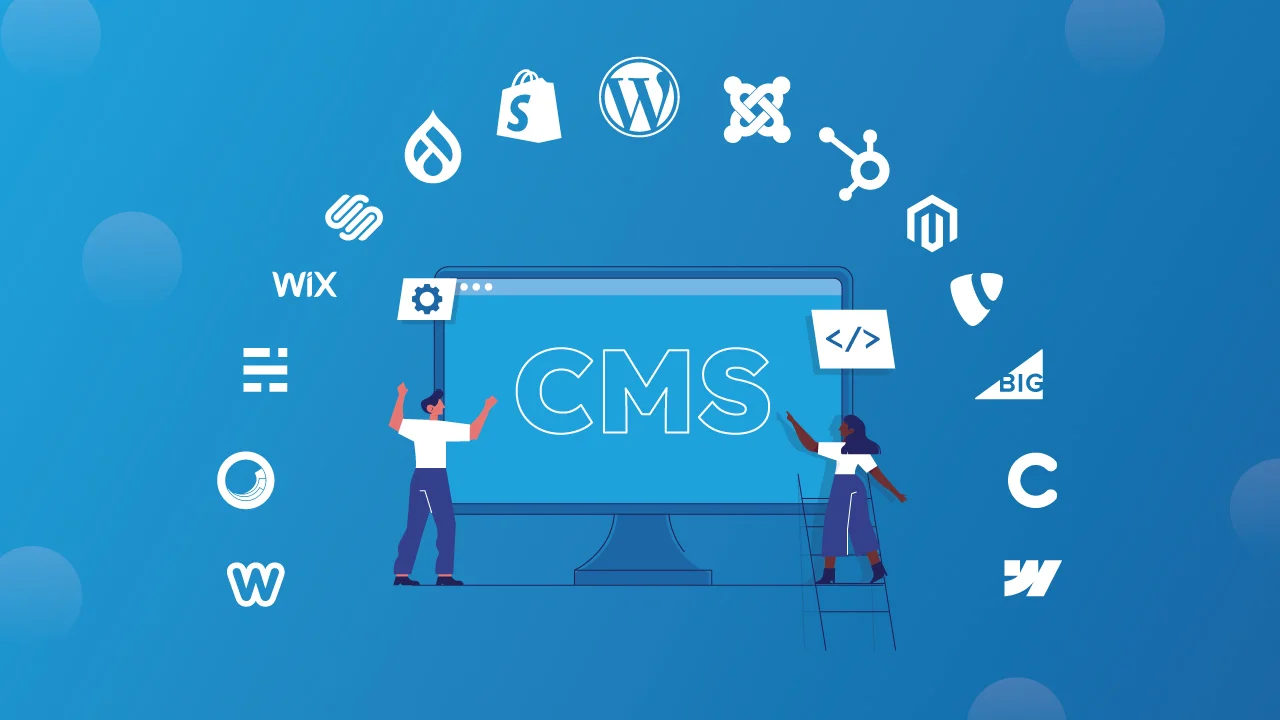
Best CMS Platforms for Website Development in 2025

Selecting the right Content Management System (CMS) is one of the most important decisions when building a modern website or web app. A CMS should be easy to use, require little to no coding expertise, and align with the needs of your business. The right choice can speed up development, simplify content management, and deliver a polished user experience.

In 2025, businesses expect CMS platforms that go beyond basic content editing. Features like responsive design, content scheduling, built-in SEO, theme customization, and smooth publishing workflows are now essential. Whether you’re creating a blog, an eCommerce store, or a full-fledged enterprise portal, choosing the right CMS can make or break your project.

A professional web development company can also help by customizing the CMS to your requirements or migrating your existing site to a more powerful platform at cost-effective rates.

What is a CMS?

A CMS is a software platform that makes it easy to create, format, organize, and publish digital content without diving deep into code. It bridges the gap between developers and content teams, empowering businesses to focus on growth while keeping websites fresh and updated.

Key Capabilities of a Modern CMS

Intuitive content editing (text, images, video, audio)

Categorization with tags, folders, and filters

Streamlined publishing workflow with version control

Role-based access for teams (authors, editors, admins)

Built-in collaboration features

Design customization through themes, templates, or custom code

SEO-friendly structures and mobile responsiveness

Top 10 CMS Platforms for 2025
1. WordPress

Still the world’s most popular CMS, WordPress powers everything from personal blogs to enterprise-level applications. With thousands of plugins, SEO tools, and themes, it offers flexibility for users at any skill level.

Highlights:

WYSIWYG editor for hassle-free formatting

50,000+ plugins and thousands of themes

Drag-and-drop uploads and media editing

SEO-ready with plugins like Yoast

2. Magento (Adobe Commerce)

A powerhouse for eCommerce, Magento delivers scalability and advanced features like multi-store management, dynamic product catalogs, and personalized discounts.

Highlights:

Handles large inventories with ease

In-built SEO (metadata, sitemaps, URLs)

Custom checkout flows with multiple payment integrations

Supports multi-brand and multi-region setups

3. Drupal

Favored by developers and enterprises, Drupal excels in handling complex content and high-traffic websites. It’s known for robust security and multilingual capabilities.

Highlights:

Flexible modular architecture

Advanced access control and workflows

Multilingual support out-of-the-box

Ideal for government and enterprise apps

4. Joomla

Strikes a balance between simplicity and functionality, making it ideal for community portals, membership sites, and multilingual projects.

Highlights:

Native support for 70+ languages

Strong user and access management

Easy inline content editing

Workflow and version tracking

5. Umbraco

Built on Microsoft’s .NET framework, Umbraco is popular among enterprises looking for flexibility, security, and smooth integration with Microsoft technologies.

Highlights:

Clean, clutter-free backend

Drag-and-drop file management

Cloud deployment with Git integration

Headless CMS capabilities via Heartcore

6. HubSpot CMS

Tailored for marketers, HubSpot CMS integrates website management with CRM, email marketing, and analytics.

Highlights:

Personalized content based on user behavior

Built-in SEO suggestions

Drag-and-drop page builder

Deep integration with HubSpot CRM

7. BigCommerce

A SaaS-based CMS designed for growing eCommerce businesses. Known for scalability and reduced reliance on third-party plugins.

Highlights:

Multi-channel product listing

Built-in SEO and structured data support

Customizable checkout experience

Responsive themes and headless APIs

8. Wix

Perfect for small businesses and creatives, Wix allows quick site building with drag-and-drop tools and AI-powered design suggestions.

Highlights:

800+ responsive templates

No coding required

AI-driven layout personalization

250+ integrations for added features

Top 10 Web Development Companies India 2025

The top agencies can help you create visually stunning websites and applications that are not only functional but also provide exceptional user experiences. However, finding the best web development companies in India requires extensive research, including evaluating their policies, quality of delivered projects, global client base, and more.

There are also many other factors to consider, such as the value for money, project warranties, non-disclosure agreements, and more. Ultimately, identifying the best agencies can be both time-consuming and challenging.

This blog presents a list of the top web development agencies in India, all of which have proven expertise in the field. But before diving into the list, let’s first explore what to look for when choosing the right agency.

How to Choose Among the Best Web Development Companies

While there are numerous excellent web development companies, it is essential to select the one that best suits your needs. You don’t want to make a decision you’ll regret later. Making an informed choice from the outset will ensure a high return on investment.

Here are the key factors to consider when choosing the best web development company in India:

  1. Define Your Needs
    Clearly outline your project goals. This includes specifying website functionalities, target audience, and desired features before beginning your search.

  2. Review Portfolios
    Examine the company’s past projects to evaluate their design aesthetics. This will also help you assess their technical expertise and their experience with projects similar to yours.

  3. Check Client Feedback
    Reading past reviews and testimonials can provide valuable insights into how the company handles change requests and communicates with clients. It will also give you a sense of the company’s work quality and delivery timeline.

  4. Assess Technical Expertise
    Ensure the company has proficiency in the necessary programming languages, frameworks, and technologies for your project. For instance, if you require PHP expertise, review the portfolio of developers assigned to your project.

  5. Evaluate Communication Skills
    Analyze whether the company communicates clearly and consistently. They should be open to using modern project management tools like Basecamp or Jira, which allow for full transparency and timely responses to your queries.

  6. Understand the Development Process
    Inquire about their project management methodology. Make sure they follow Agile or DevOps processes, as traditional methods like Waterfall can significantly delay projects. Also, assess their design, testing, and version control practices.

  7. Discuss Pricing and Budget
    Request a detailed cost estimate and compare it to your budget, ensuring the value justifies the price. Additionally, consider their post-launch services, including maintenance, updates, and technical support.